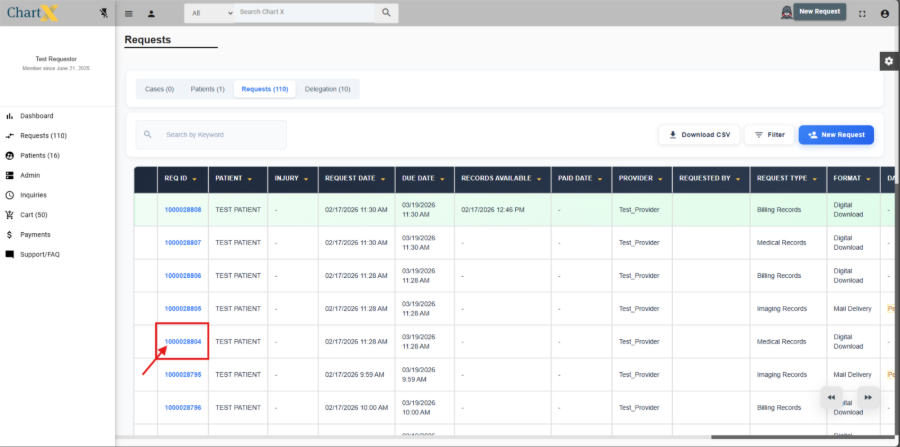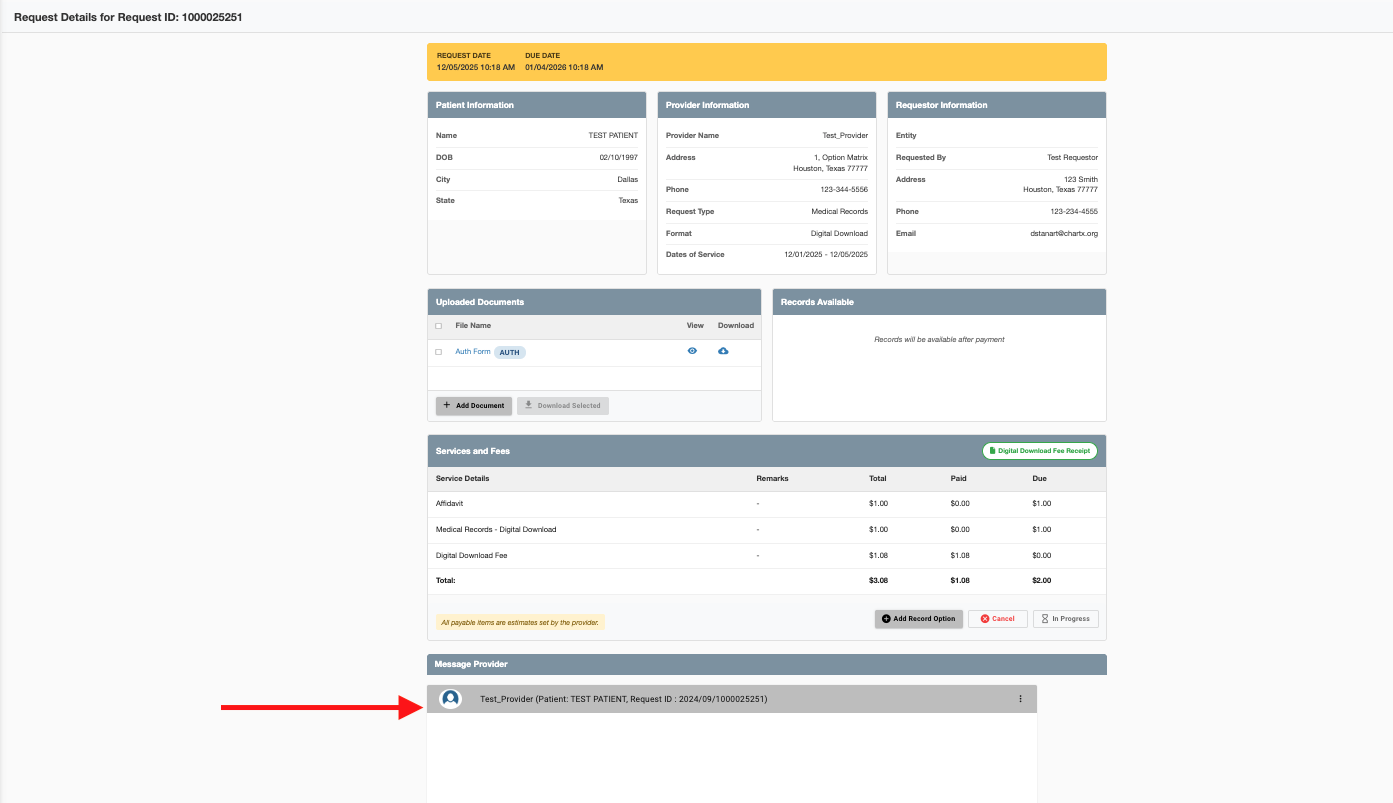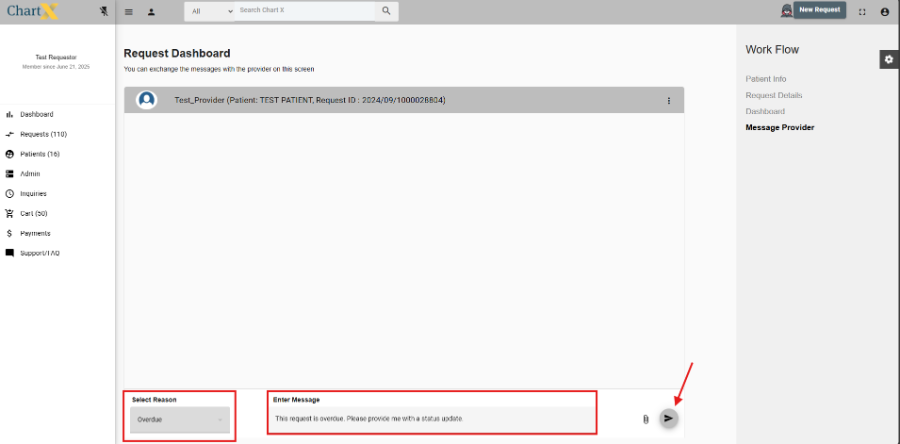

Check Status or Message Provider

Mar 25, 2026
 46
46
ChartX acts as a secure intermediary between you and the provider—we are not the custodian of records. To check your request status or send a message, log in to the ChartX portal and use the messaging feature to reach the provider directly.