
Requesting an Affidavit of No Patient Records

Mar 11, 2026
 68
68
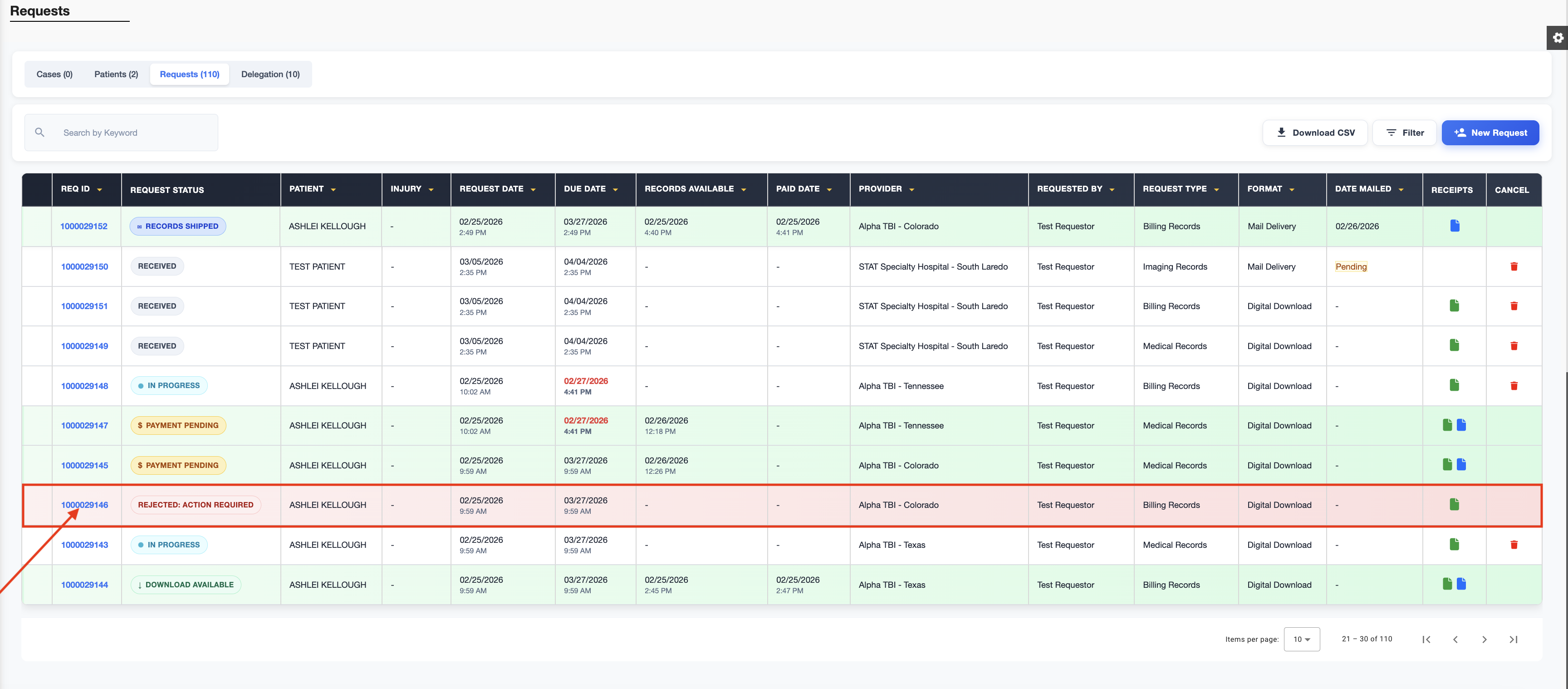
Navigate to the request page and select the rejected REQ ID.
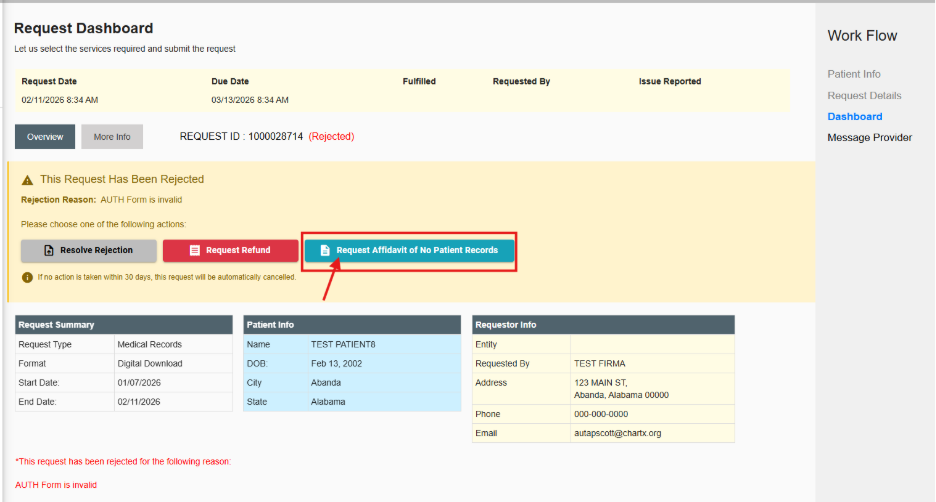
On the request dashboard, you will see a button labeled Request Affidavit of No Records. Click that button to proceed.
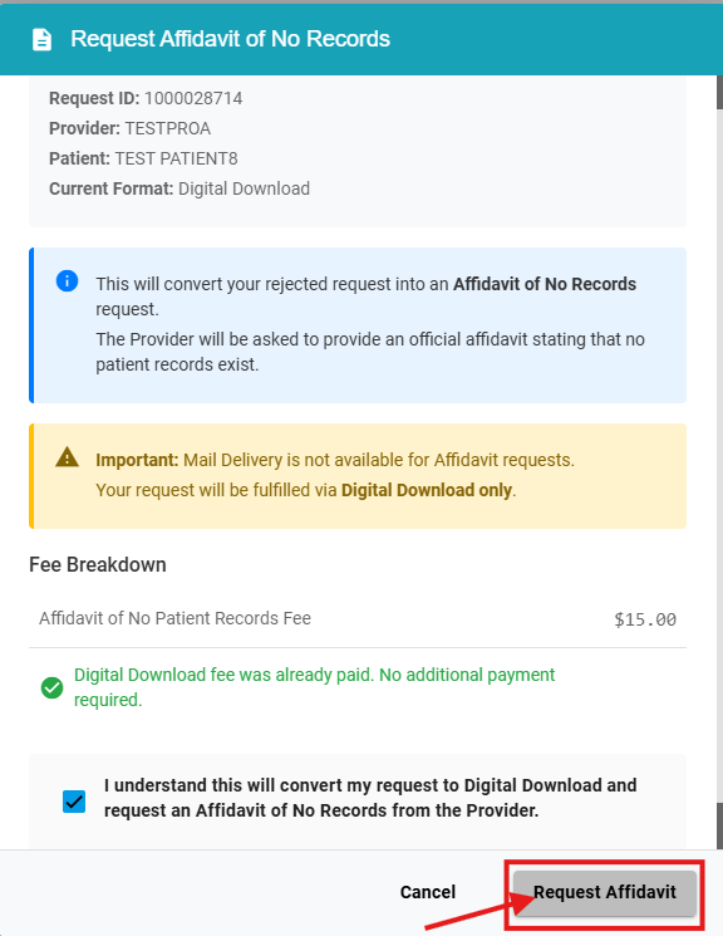
A pop-up will appear asking you to confirm that you want to request an affidavit of no records. Select Request Affidavit and your request will be resolved and the provider will be notified.