
Multiple Document Upload

Apr 07, 2026
 0
0
ChartX allows you to upload multiple documents at the same time.
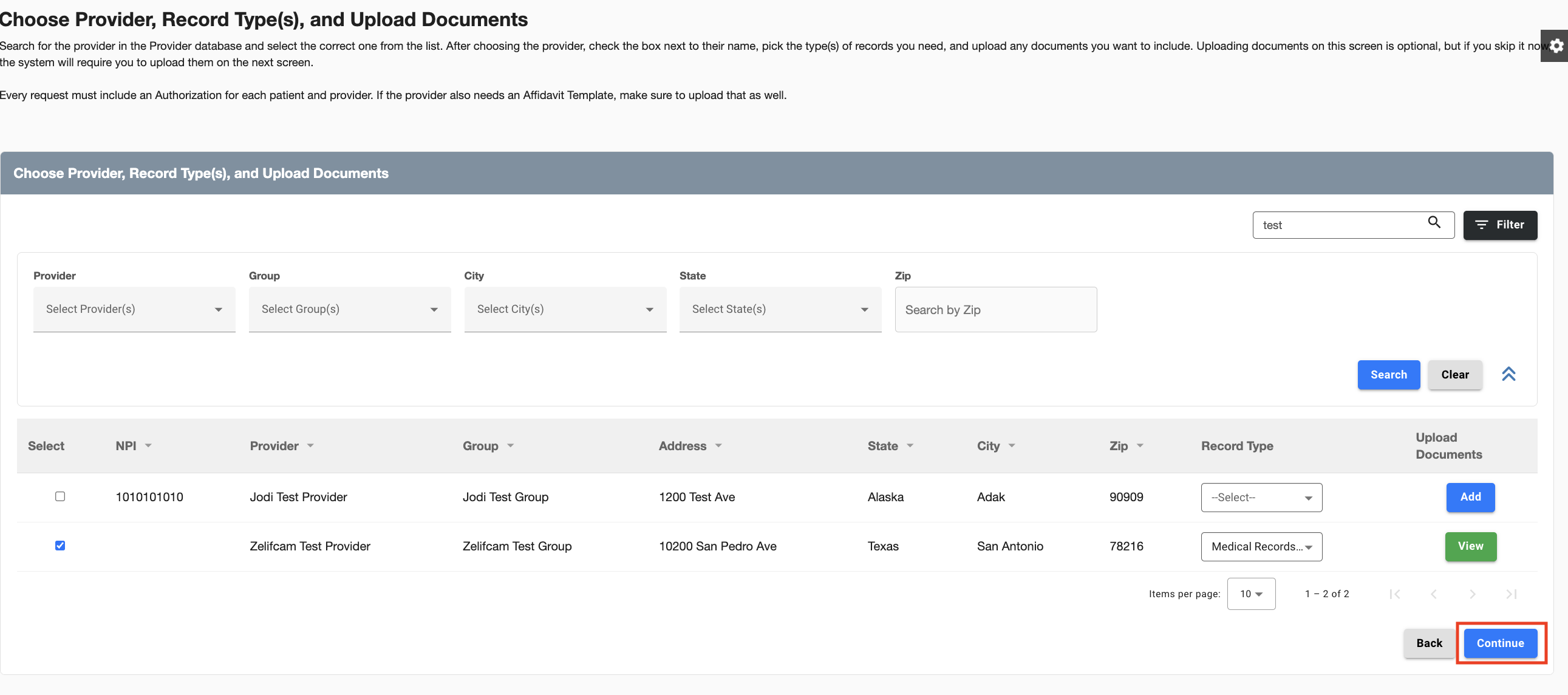
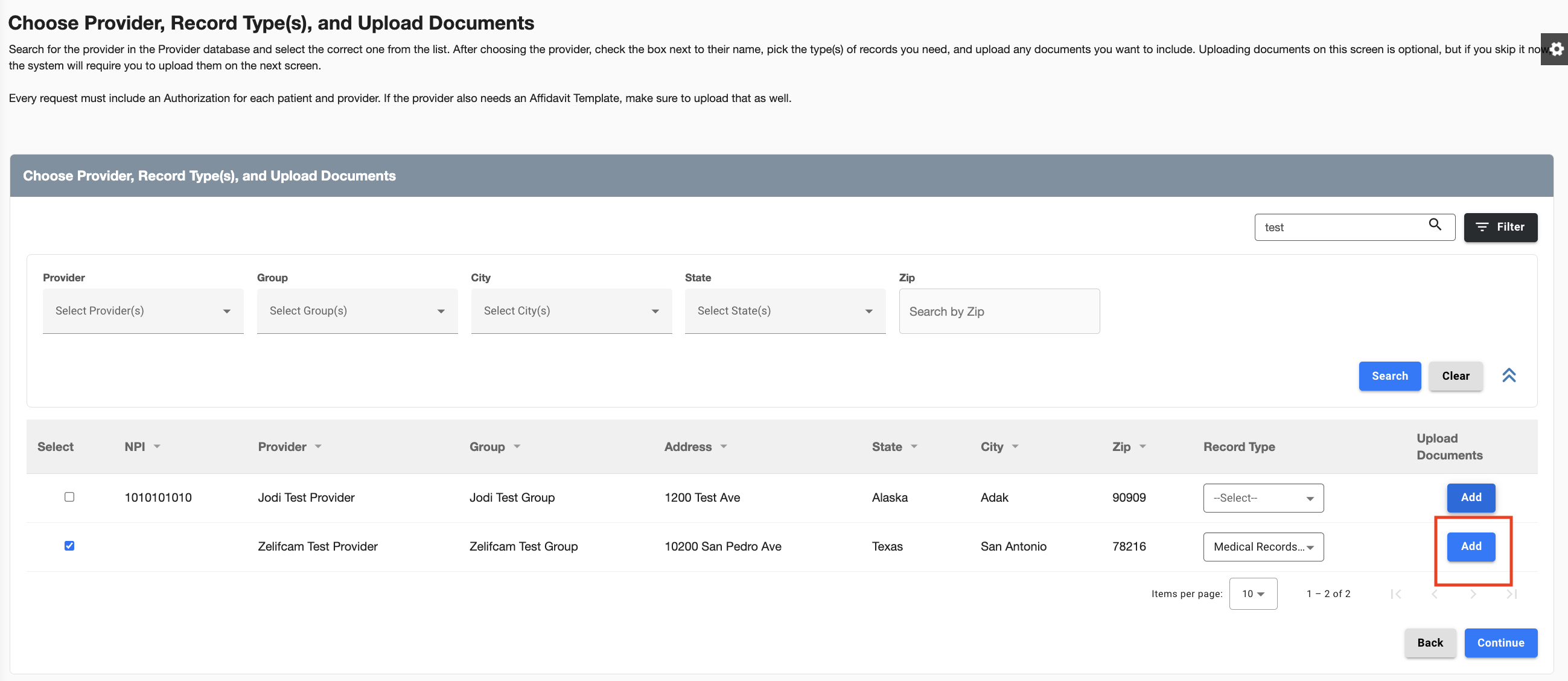
When making a new request and after you have selected your provider and record types, click Add.
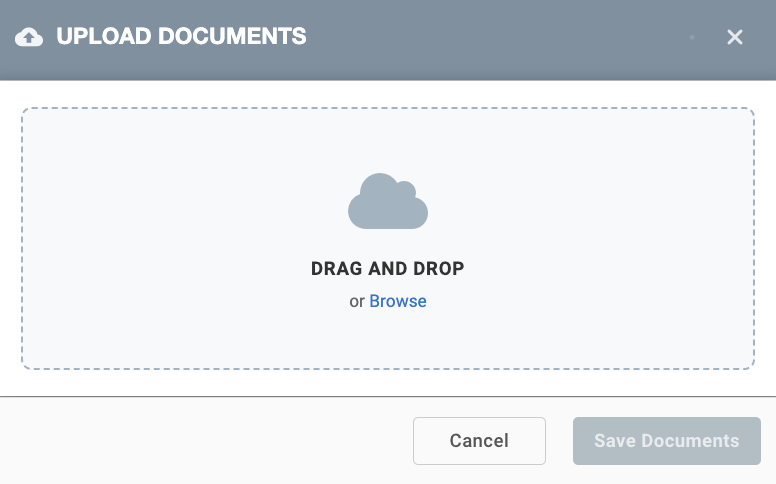
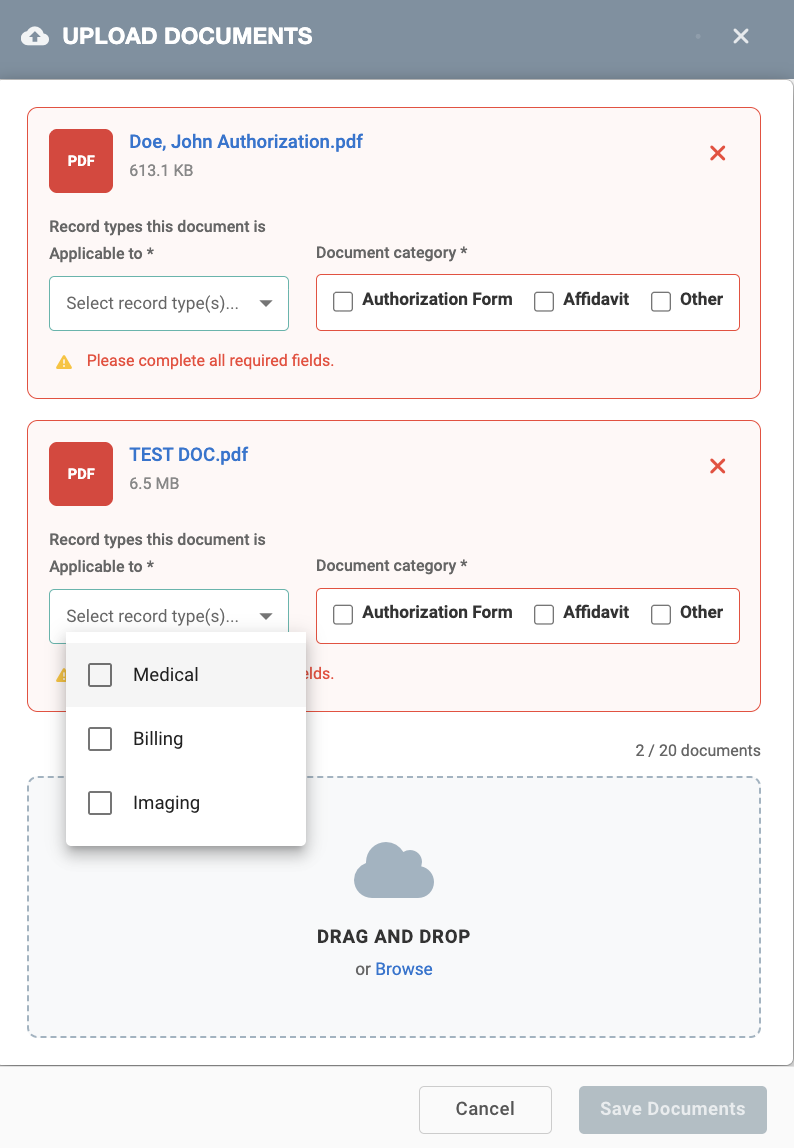
Drag and drop multiple documents to upload. NOte: you may also click Browse and add files from your computer.
Each file will populate on the screen.
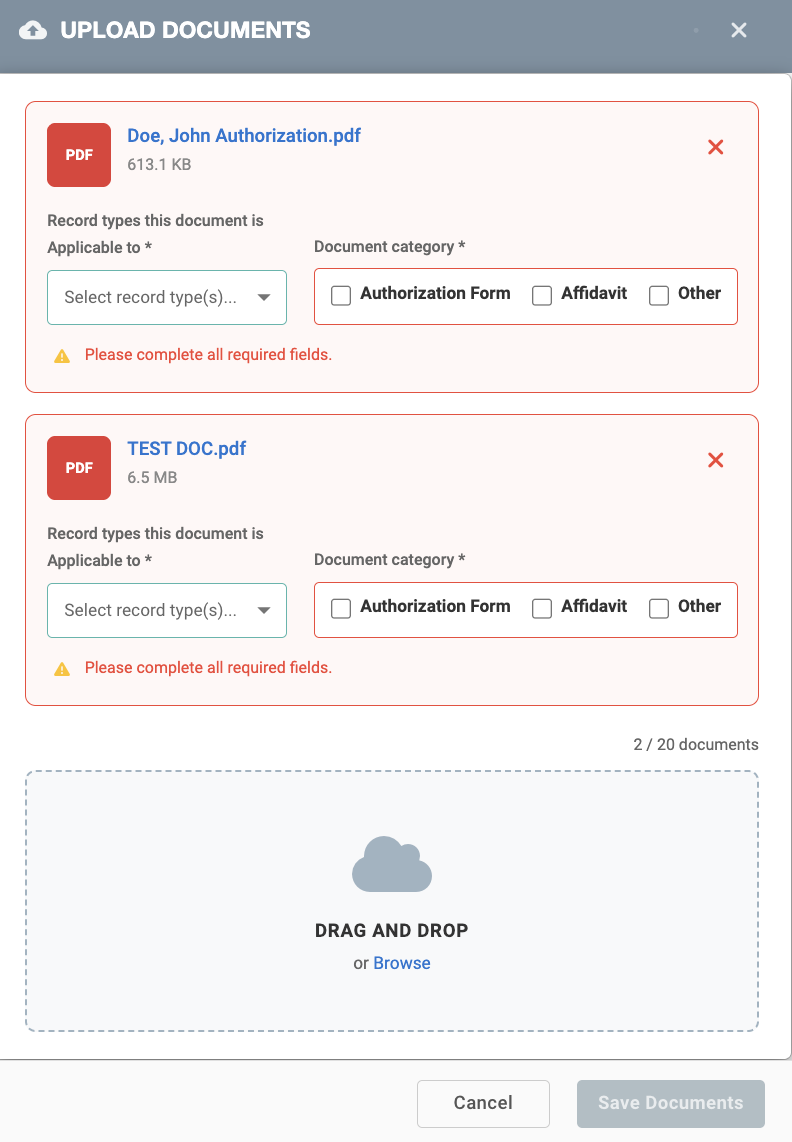
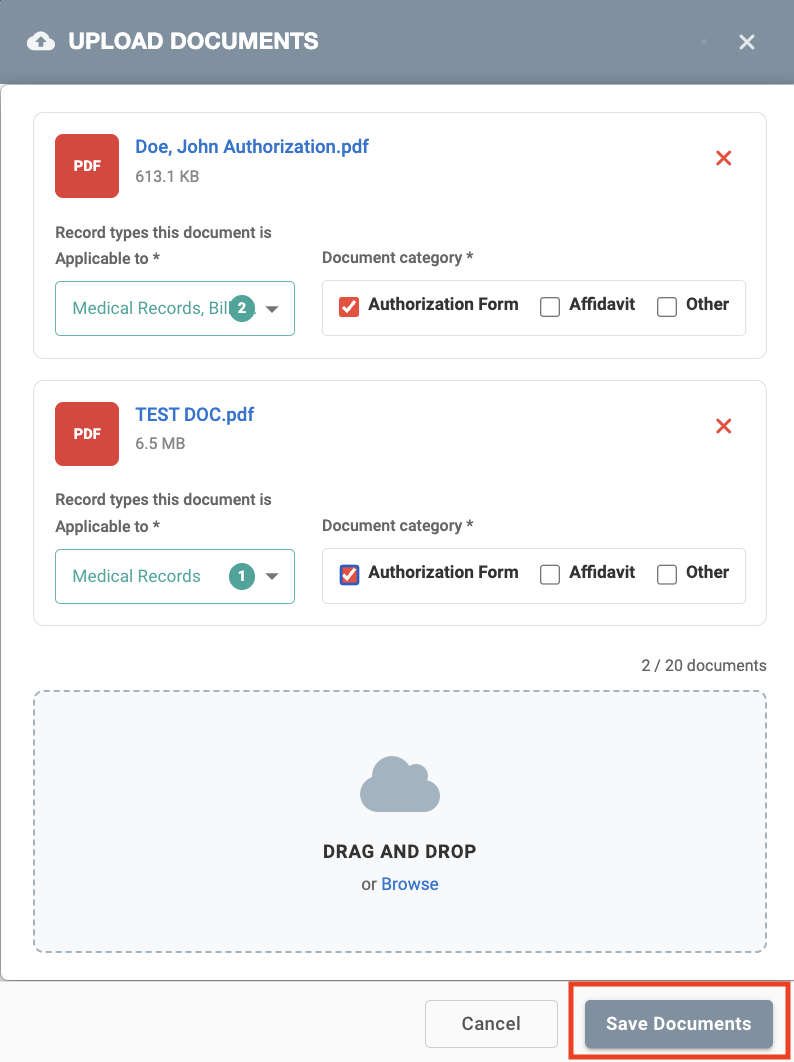
For each document, select which record types it is applicable to and select a document category. Note: You may select more than one option in each field.
Click Save Documents.
This will take you back to the previous screen. The blue Add button will change to a green View button. After you have uploaded all of your pertinent documents, click Continue.