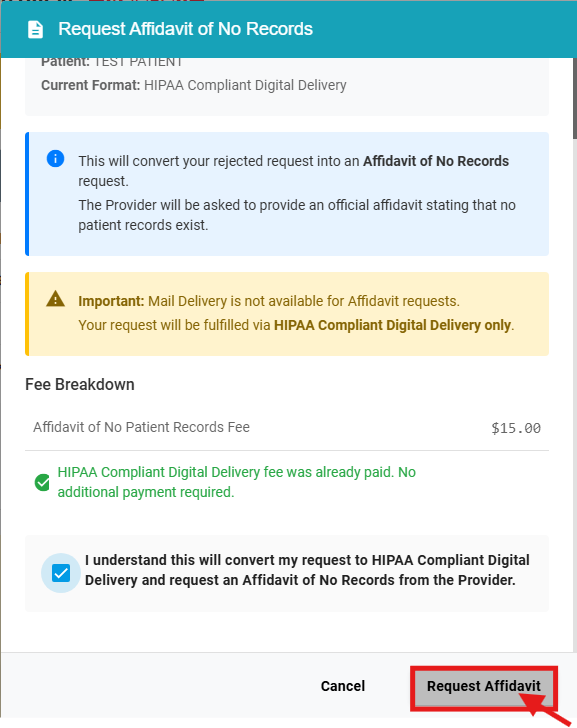

How do I Request an Affidavit of No Patient Records?

Jun 05, 2026
1738

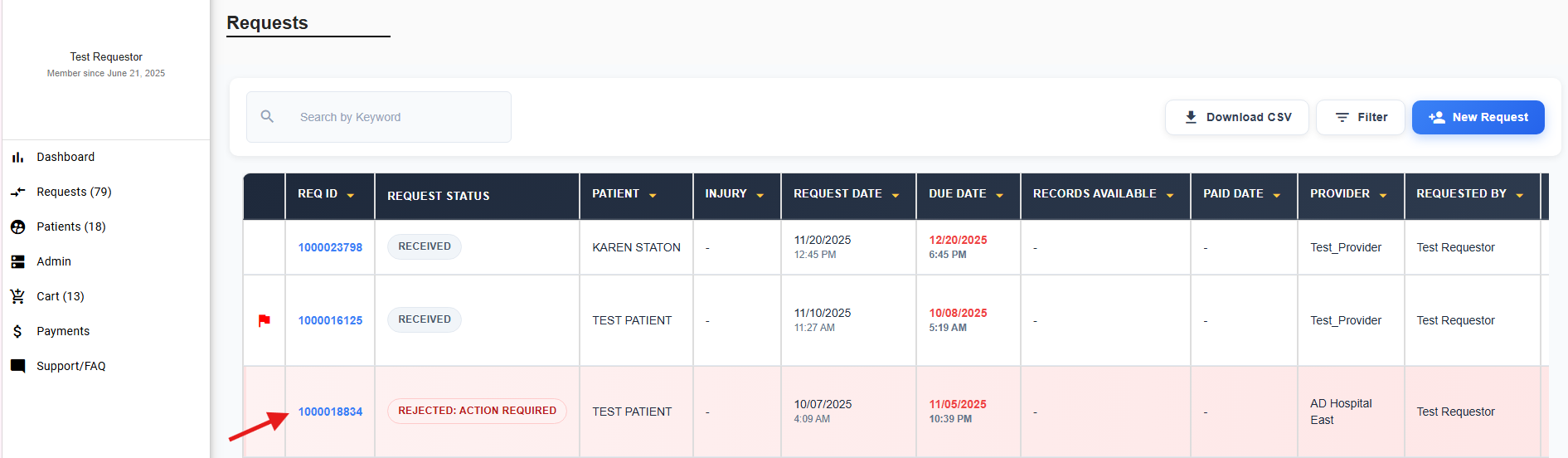
Navigate to the request page and select the rejected REQ ID.
On the request dashboard, you will see a button labeled Request Affidavit of No Records. Click that button to proceed.
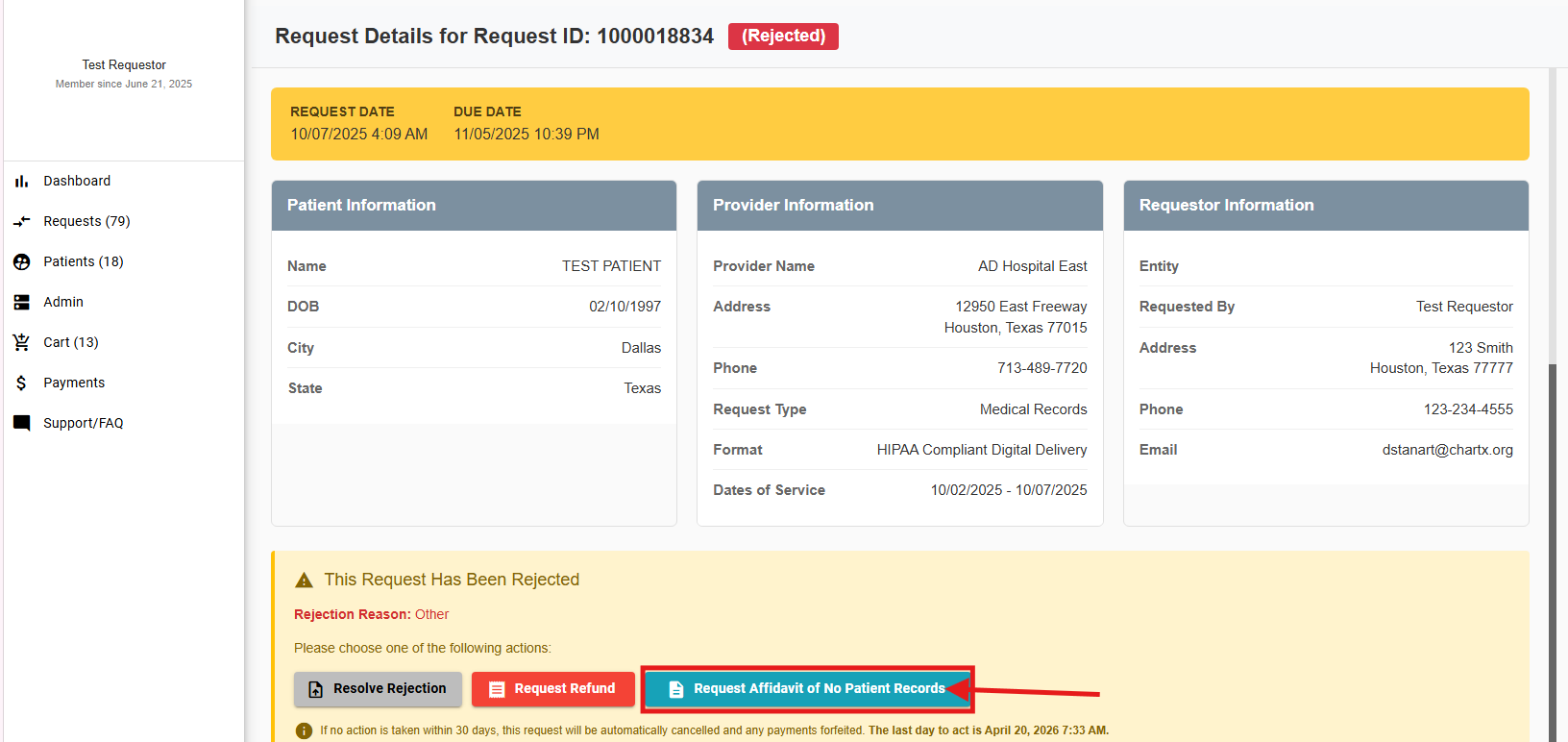
If no action is taken for 30 days, the Request will be canceled and the HIPPA Compliant Digital Delivery fee will be forfeited.

A pop-up will appear asking you to confirm that you want to request an affidavit of no records. Select Request Affidavit and your request will be resolved and the provider will be notified.