

How do I Convert Mail Delivery to HIPAA-Compliant Digital Delivery?

May 11, 2026
657

Converting Mail Delivery to HIPPA-Compliant Digital Delivery
1. Navigate to the Request Page
-
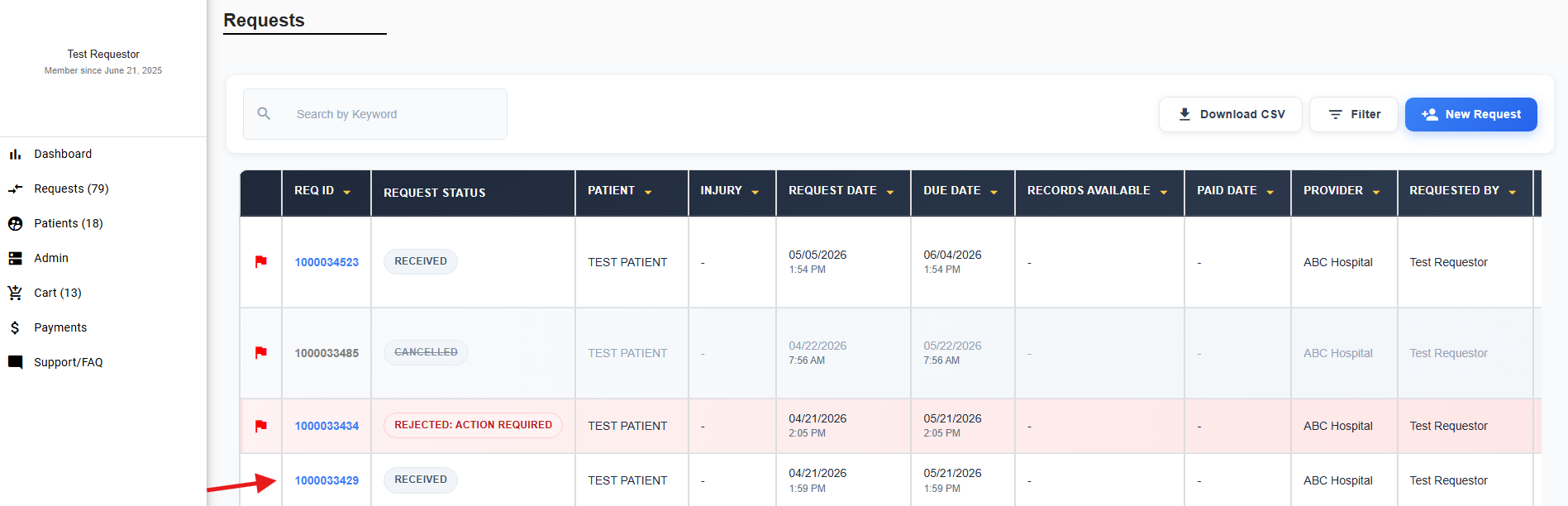
Go to Requests.
-
Select the Mail Delivery Request ID you want to convert.
2. Select HIPAA Compliant Digital Delivery
-
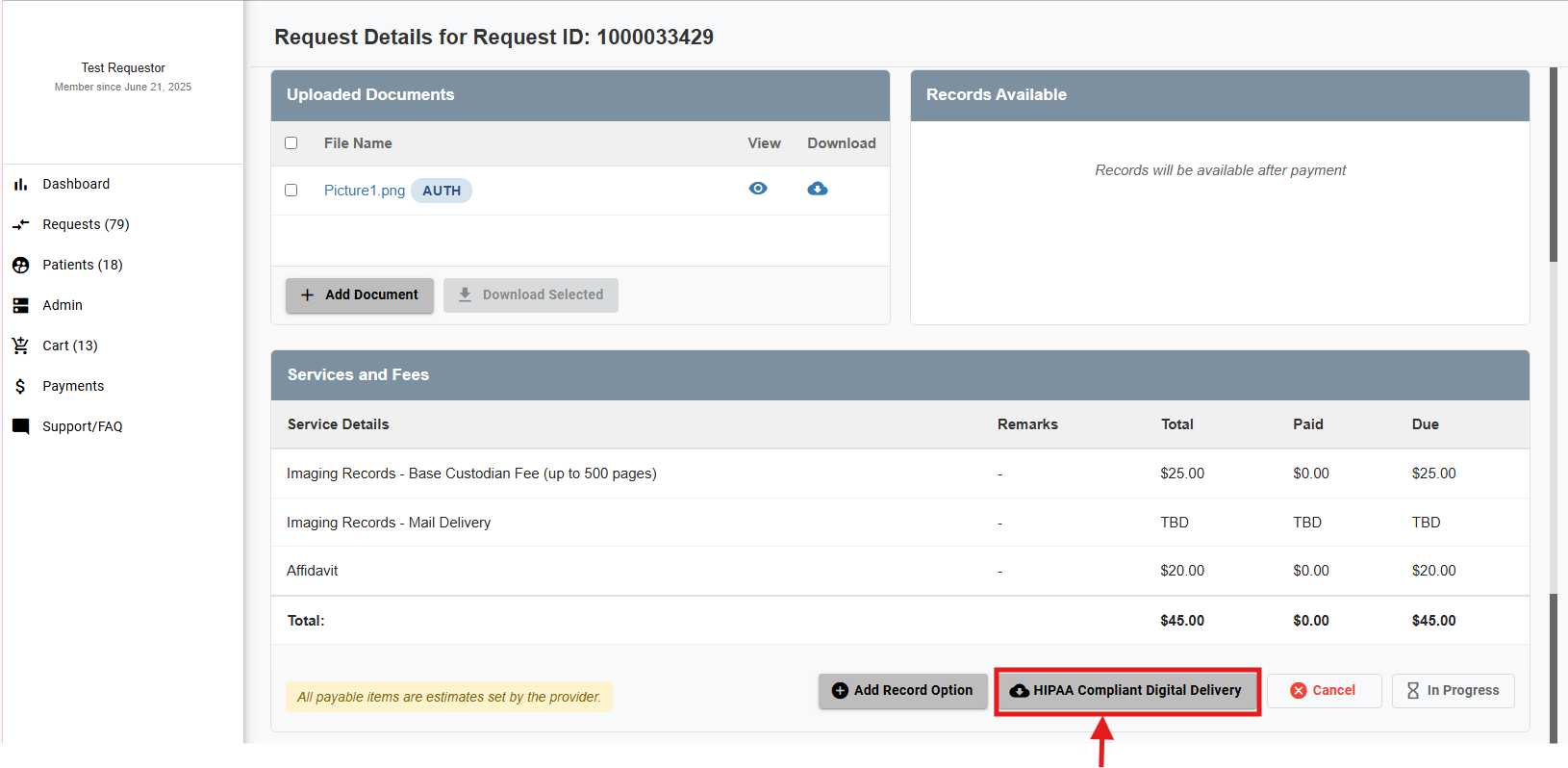
In the Services and Fees section, click HIPAA Compliant Digital Delivery.
-
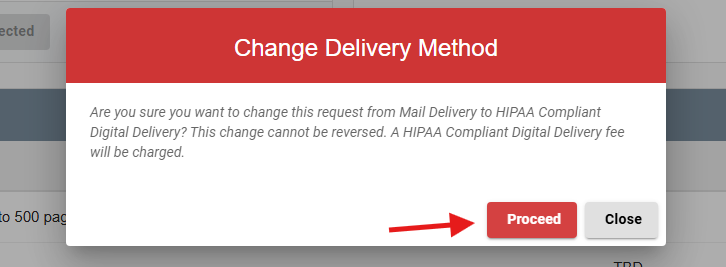
A confirmation pop‑up will appear.
-
Click Proceed to confirm the conversion.
3. Complete Payment
-
The HIPAA‑Compliant Digital Delivery option will now be due.
-
Record fees will be billed once records are made available by the provider.
-
Click Pay Now to access the secure payment portal.
-
Complete payment using a credit or debit card.


